
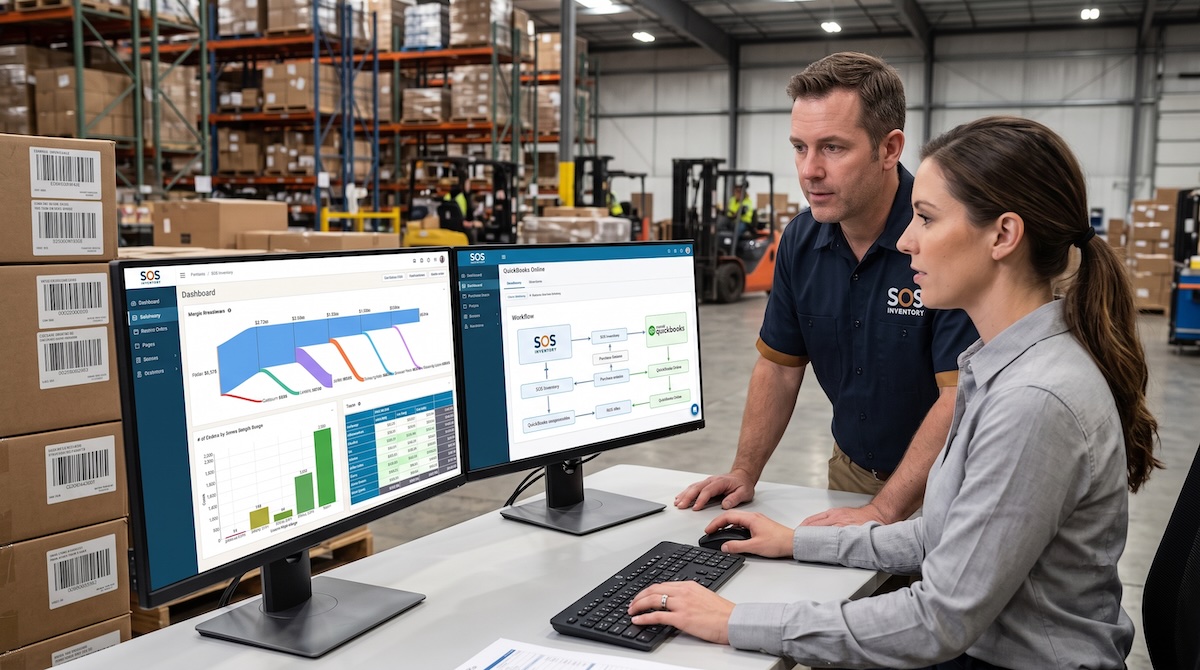
Many businesses invest in SOS Inventory expecting better inventory accuracy, improved purchasing, and more reliable financial reporting. Those outcomes are absolutely achievable, but they don’t happen simply because new software has been installed. They depend on the decisions made during implementation.
We’ve found that most companies don’t struggle with SOS Inventory because they chose the wrong system. They struggle because they rushed through setup, imported questionable data, or configured the software around inefficient processes that already existed. Once those decisions are in production, every purchase order, assembly, sales order, and inventory adjustment reinforces the underlying problems. Correcting them after go-live often requires significantly more time and expense than getting them right during implementation.
SOS Inventory is designed to help manufacturers, distributors, and product-based businesses using QuickBooks Online manage inventory with greater control and visibility. Features like assemblies, manufacturing orders, multiple warehouse locations, serial and lot tracking, and integrated purchasing can dramatically improve operations. However, those capabilities only create value when they’re supported by accurate data, well-designed workflows, and thoughtful implementation.
The following nine mistakes are the ones we encounter most often during SOS Inventory implementations. None of them are difficult to understand, but each has operational and financial consequences that become more expensive the longer they’re left unresolved.
Table of Contents
Mistake #1: Treating the Implementation as a Software Installation Instead of a Process Improvement Project
One of the biggest misconceptions about implementing SOS Inventory is believing the project is primarily about configuring software. While the technical setup is important, the software simply supports the business processes already in place. If those processes are inefficient, inconsistent, or poorly documented, the implementation often reinforces existing problems instead of solving them.
This mistake usually begins with good intentions. Leadership wants to minimize disruption, so the implementation team focuses on getting the system operational as quickly as possible. Discussions center on settings, imports, and user permissions while larger operational questions receive little attention. Purchasing continues following one process, warehouse personnel another, production develops its own workarounds, and accounting builds separate reporting procedures.
Experienced implementation consultants approach the project differently. Before configuring item types or transaction settings, they spend time understanding how inventory actually moves through the organization. They identify bottlenecks, duplicate work, unnecessary approvals, and manual processes that have accumulated over time. The software configuration then supports an improved workflow rather than preserving outdated habits.
Companies that invest time evaluating their operations often discover opportunities to reduce manual data entry, eliminate duplicate work, improve inventory visibility, and simplify reporting before the first transaction is entered into SOS Inventory.
Mistake #2: Importing Poor Inventory Data
Many businesses assume their existing inventory data is accurate simply because employees have learned how to work around its shortcomings. During implementation, those hidden issues become visible almost immediately.
Duplicate item numbers, inconsistent descriptions, obsolete SKUs, incorrect costing methods, missing units of measure, and incomplete vendor information are among the most common issues we encounter. When those records are imported into SOS Inventory, the software faithfully reproduces every inconsistency. It is crucial to have a verified inventory established prior to importing to SOS Inventory, especially the by item quantity and value.
Consider a distributor with more than 18,000 SKUs that had accumulated years of duplicate products because different buyers created items using slightly different naming conventions. After implementation, replenishment reports contained multiple versions of the same product, warehouse employees regularly selected obsolete items, and inventory planners struggled to determine which records should be used for purchasing. None of these issues were caused by SOS Inventory. They originated in the master data that had never been cleaned.
Poor data affects much more than inventory counts. Buyers lose confidence in purchasing recommendations, warehouse employees spend more time searching for products, customer orders take longer to fulfill, inventory adjustments become more frequent, and financial reports become increasingly difficult to reconcile with QuickBooks.
Successful implementations treat data preparation as its own project. Duplicate items are consolidated, inactive products are archived, naming conventions are standardized, units of measure are validated, and inventory records are reviewed before migration begins. Although this work requires time, it creates a foundation that supports every operational process afterward.
Mistake #3: Designing Item Numbers Around Short-Term Convenience
Item numbering rarely receives much attention because it appears to be a simple administrative decision. In reality, the structure of item numbers influences reporting, purchasing, warehouse and order entry efficiency, integrations, and long-term scalability.
Some companies continue using legacy numbering systems that no longer reflect how the business operates. Others create lengthy item numbers containing product descriptions, colors, sizes, vendors, and revision levels. While these approaches may appear helpful initially, they become increasingly difficult to maintain as product catalogs expand.
We’ve also seen organizations attempt to encode every product attribute into the item number instead of using the fields already available within SOS Inventory. The result is a numbering system that becomes more complicated every time a new product variation is introduced.
A well-designed item numbering strategy balances consistency, usability, and flexibility. Rather than optimizing for today’s catalog, experienced consultants consider how the business expects to grow over the next several years. That planning helps avoid disruptive renumbering projects that affect purchasing history, customer records, integrations, barcode labels, and reporting throughout the organization.
Mistake #4: Copying Existing Processes Instead of Evaluating Them
Every implementation presents an opportunity to improve operations. Unfortunately, many companies spend that opportunity recreating every existing process inside the new software.
The reasoning is understandable. Employees are comfortable with familiar procedures, and changing workflows while introducing new software can feel risky. Leadership often assumes preserving existing processes will make implementation easier.
In practice, the opposite frequently happens. Manual spreadsheets remain part of the purchasing process. Receiving personnel continue recording information twice because no one redesigned the workflow. Assemblies follow outdated procedures that were originally developed to compensate for limitations in the previous system. Instead of simplifying operations, the business ends up maintaining both old habits and new software.
The best implementations begin with a simple question: why does this process exist? Sometimes the answer is regulatory compliance or customer requirements. Other times, the process exists only because an older system lacked functionality that SOS Inventory now provides. Eliminating unnecessary work before configuration allows the software to improve operations instead of simply documenting inefficiency.
Mistake #5: Overlooking the QuickBooks Integration
Many organizations select SOS Inventory because it extends the inventory capabilities of QuickBooks Online. That integration is one of the platform’s greatest strengths, but it also requires thoughtful planning.
A common assumption is that connecting the two systems automatically resolves accounting and inventory processes. In reality, businesses still need to determine where transactions originate, how inventory valuation will be managed, and how operational activities affect financial reporting as well as the continual reconciliation between the two systems.
We’ve worked with companies where warehouse personnel assumed inventory adjustments should occur in SOS Inventory while accounting expected those corrections to originate elsewhere. Both teams believed they were following the correct process, yet month-end reconciliation became increasingly difficult because no one had established clear transaction ownership during implementation.
Successful implementations involve accounting from the beginning. Financial reporting requirements influence workflow design, inventory valuation methods are confirmed before migration, and operational teams understand how their daily activities affect financial statements. This collaboration reduces reconciliation issues while providing leadership with more reliable reporting and greater confidence in inventory valuation.
Mistake #6: Configuring Security Without Defining Responsibilities
User permissions are often treated as a final implementation task, but effective security begins long before individual users receive login credentials.
Without a governance strategy and a detailed understanding of the SOS Inventory functionality, employees frequently receive broader access than necessary because it seems more convenient during implementation. Warehouse personnel gain purchasing authority, buyers can modify inventory adjustments, and multiple employees receive permission to enter or edit financial transactions. While these decisions may simplify setup, they also increase operational risk and reduce accountability.
Well-designed permissions reflect clearly defined responsibilities rather than individual preferences. Purchasing teams should perform purchasing activities. Warehouse employees should manage inventory movements. Accounting should oversee financial transactions. Approval workflows should reinforce internal controls without creating unnecessary bottlenecks.
This approach not only improves security but also simplifies training because employees interact only with the functions relevant to their responsibilities. A seasons SOS Inventory consultant plays a vital role in the establishment of process in how to work with the system limitations to advise on the strongest mitigating controls.
Mistake #7: Waiting Until After Go-Live to Think About Reporting
Reporting is frequently viewed as something to build once implementation is complete. By that point, however, many of the configuration decisions that determine reporting quality have already been made.
Executives need visibility into inventory valuation, inventory turns, fill rates, purchasing performance, gross margin, stockouts, and working capital. Buyers need replenishment reports that identify purchasing priorities. Warehouse managers require operational dashboards that highlight fulfillment efficiency and inventory accuracy. None of these reports exist in isolation. They depend on consistent item data, standardized workflows, and disciplined transaction entry. This is where data structure and field usage becomes a critical part of forethought as part of the planning process.
For example, if receiving processes aren’t standardized, purchase lead-time reporting becomes unreliable. If item categories are inconsistent, profitability analysis becomes less meaningful. If locations or bins aren’t configured correctly, warehouse reporting loses credibility because inventory movements can’t be accurately tracked.
One manufacturer asked us to build executive dashboards six months after implementation, only to discover that key operational information had never been captured consistently. The reporting project became a data cleanup project because the implementation had focused exclusively on transactions rather than management visibility.
Experienced consultants begin by asking leadership what decisions they expect to make with the system. Those conversations influence configuration choices from the very beginning, ensuring SOS Inventory supports both operational execution and executive decision-making. Reliable reporting also provides stronger information for forecasting, cash flow planning, profitability analysis, and working capital management.
Mistake #8: Rushing User Training Before Go-Live
Training is often compressed into a few software demonstrations during the final weeks of implementation. Employees may leave those sessions believing they understand the system, but confidence often disappears once live customer orders begin arriving.
Different departments interact with SOS Inventory in very different ways. Buyers manage purchasing, warehouse teams receive and fulfill inventory, production personnel process manufacturing orders and assemblies, accounting reviews financial impacts, and executives analyze reports. Generic training rarely prepares each group for the situations they’ll encounter every day.
The most successful implementations use role-based training built around realistic business scenarios. Employees process actual purchase orders, receive inventory, build assemblies, fulfill sales orders, and resolve common exceptions before go-live. Instead of memorizing software screens, they learn how their work affects downstream departments and why standardized procedures matter.
Organizations that invest in practical training generally experience faster adoption, fewer support requests, greater inventory accuracy, and significantly more confidence during the first several weeks after implementation.
Mistake #9: Going Live Without Thorough Testing
Implementation deadlines create pressure to move quickly, and testing is often the first activity shortened to stay on schedule. Once a few sample transactions appear successful, leadership may conclude the system is ready.
Unfortunately, inventory systems rarely fail because a single transaction doesn’t work. Problems emerge when multiple workflows interact under real operating conditions.
Comprehensive testing should follow complete business scenarios from beginning to end. A purchase order should be created, received, inspected, stocked, sold, fulfilled, invoiced, and reconciled in QuickBooks. Manufacturers should validate manufacturing orders, assemblies, component consumption, and finished goods production using realistic production examples. Companies using multiple warehouse locations, serial numbers, or lot tracking should verify those processes with actual operational scenarios rather than sample transactions. It is just as important to fully understand how numbers flow through to QuickBooks and impact your financial as it is to understand the flow of inventory through transaction input.
Thorough testing also builds confidence. Employees become familiar with everyday exceptions before customers are affected, accounting validates financial impacts before month-end closes, and management gains confidence that the system accurately reflects business operations. Finding a configuration issue during testing is an inconvenience. Discovering the same issue after hundreds of live transactions have been processed can require weeks of corrective work.
Bottom Line
Businesses rarely struggle because they selected the wrong inventory software. More often, they struggle because implementation decisions determine whether that software supports disciplined business processes or simply automates existing inefficiencies.
SOS Inventory is a powerful platform for organizations using QuickBooks Online, but its long-term success depends on much more than configuration settings. Clean data, thoughtfully designed workflows, clear user responsibilities, meaningful reporting, comprehensive training, and thorough testing all contribute to an implementation that improves operational performance instead of creating additional work.
Organizations that approach implementation as a business improvement initiative consistently realize greater value from their investment. They achieve better inventory accuracy, stronger purchasing decisions, improved financial visibility, and reporting that supports confident executive decision-making. Those benefits don’t come from the software alone. They come from making sound implementation decisions before the system goes live.
Need Help With Your SOS Inventory Implementation?
Whether you’re planning a new SOS Inventory implementation or trying to improve an existing one, Mariner Consulting Group has helped dozens and dozens of manufacturers and distributors design inventory workflows, prepare data, integrate QuickBooks, develop reporting, and guide successful implementations. Our focus is on building systems that improve operational performance and provide reliable financial visibility long after go-live.

Leave a Reply