
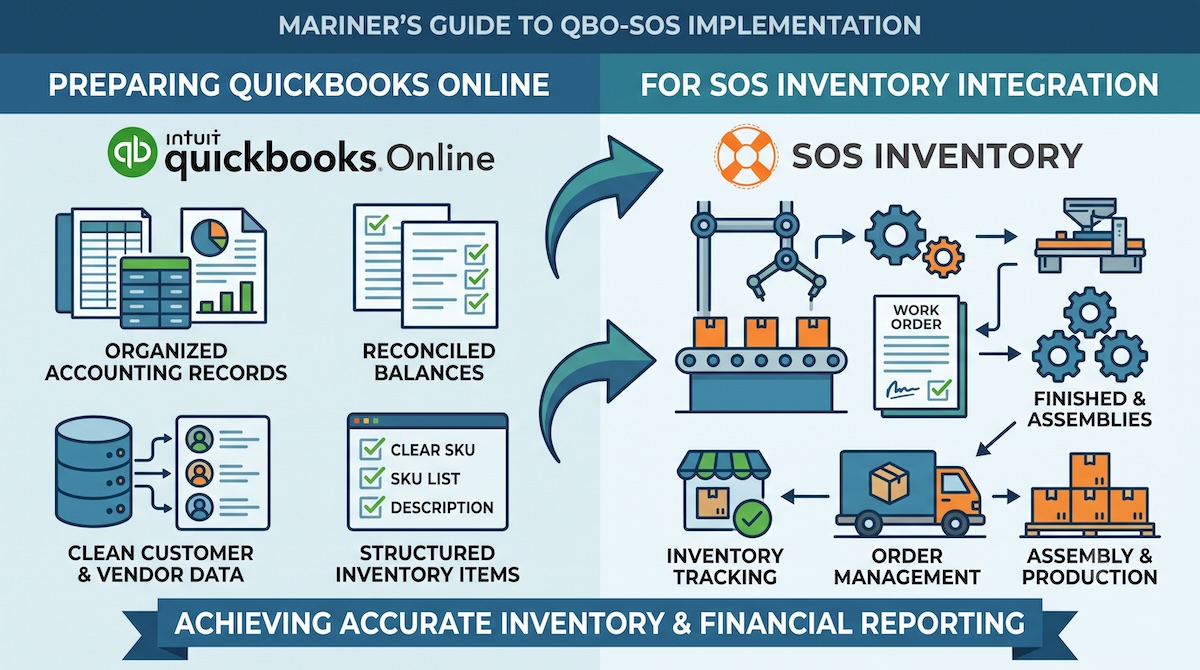
Preparing QuickBooks Online for SOS Inventory is one of the most important steps in reducing implementation risk. Many businesses assume the primary work begins inside SOS Inventory, but the most difficult problems often originate in QuickBooks Online before configuration starts. Unreconciled balances, duplicate records, inconsistent item structures, and unclear transaction workflows can create synchronization problems that are difficult to diagnose after go-live.
For manufacturers and distributors, these issues affect more than software performance. They can distort inventory valuation, cost of goods sold, accounts payable, purchasing activity, and margin reporting. A technically successful connection between the systems does not guarantee reliable information. QuickBooks Online must provide a defensible financial starting point, while SOS Inventory must support the workflows that produce those financial results.
Table of Contents
Why Preparing QuickBooks Online for SOS Inventory Matters
SOS Inventory extends QuickBooks Online by supporting purchase orders, sales orders, receiving, fulfillment, assemblies, and more detailed inventory control. That division of responsibility can improve visibility and process consistency, but only when both systems are configured around a clearly defined operating model.
During implementations, we often find that businesses have developed years of workarounds inside their QuickBooks environment. Products may have been created differently by different employees. Inventory adjustments may have been used to correct receiving or fulfillment problems. Customer and vendor records may be duplicated, and accounts may have been added without a consistent reporting purpose.
Those practices can appear manageable while activity remains inside one system. Once SOS Inventory is introduced, they become integration issues. Records must match, transactions must follow a defined path, and both systems must produce results that can be reconciled. Preparing QuickBooks Online is therefore not a cosmetic cleanup exercise. It is a control process that establishes which records are reliable, which workflows need to change, and how operational activity will reach the financial statements.
Reconcile Financial and Inventory Balances First
Before configuration begins, QuickBooks Online should reflect a financial position that management can defend. Bank accounts, credit cards, accounts receivable, accounts payable, undeposited funds, and inventory-related accounts should be reconciled through an agreed cutoff date.
This creates a dependable baseline for testing. Once transactions begin moving from SOS Inventory into QuickBooks Online, the implementation team must determine whether balances and journal activity are correct. If QuickBooks already contains unresolved differences, it becomes difficult to distinguish a new configuration problem from an old accounting one.
Inventory balances require particular attention. The inventory asset account may not agree with physical counts, warehouse records, or management expectations because of incorrect quantities, inaccurate costs, negative inventory, timing differences, or manual journal entries. Those differences should be investigated before opening balances are established.
The objective is not to reconstruct perfect historical detail. It is to establish a starting position that finance and operations both accept. Some differences may require a physical count or cost review. Others may need to be documented rather than rebuilt transaction by transaction. Carrying an unsupported balance into a new system does not resolve the issue. It simply gives the old problem a new structure and may actually make the problem worse. .
Clean the Chart of Accounts and Master Data
The QuickBooks Online chart of accounts determines how activity from SOS Inventory will appear in financial reporting. Before accounts are mapped, the business should review all accounts associated with inventory assets, cost of goods sold, sales, freight, work in process, adjustments, and any clearing accounts used in inventory workflows.
The goal is not to add more financial detail than management can use. It is to create enough structure to understand inventory value, gross margin, production costs, write-offs, and purchasing activity without adding unnecessary maintenance. Manufacturers may need separate treatment for raw materials, work in process, finished goods, and production variances. Distributors may need clearer visibility into freight, returns, damaged inventory, and adjustments.
Item records require the same discipline. Many businesses have accumulated duplicate products, inconsistent naming conventions, inactive records, and temporary items created to solve short-term accounting problems. Before synchronization begins, the company should determine which items will be managed in SOS Inventory, how they will be named, how units of measure will be handled, and which financial accounts apply.
Customer and vendor records should also be reviewed for duplicates, inactive entries, missing payment terms, outdated information, and inconsistent naming. Clean master data is not administrative housekeeping. It supports better purchasing analysis, sales reporting, accounts payable reconciliation, and operational accountability.
The account and item structure should reflect how the business actually purchases, manufactures, sells, and reports on inventory. Preserving inconsistent historical practices may feel easier during implementation, but it usually creates more work after go-live.
Decide Which System Owns Each Transaction
One of the most important implementation decisions is determining where each transaction begins. SOS Inventory and QuickBooks Online should not be treated as interchangeable entry points.
The business must define where users will create purchase orders, how they receive inventory, integrate e-commerce sales channels, enter sales orders, fulfill shipments, generate invoices, process returns, build assemblies, receive payments and make inventory adjustments. These decisions should reflect actual roles and responsibilities.
If invoices are generated from fulfilled orders in SOS Inventory, sales employees should not create duplicate invoices directly in QuickBooks. When transaction ownership is unclear, employees usually follow whichever process is most familiar, creating duplicate records, incomplete workflows, loss of tracking visibility and timing differences.
This is why implementation is better understood as organizational design rather than software installation. The project defines how the business will operate, who is responsible for each transaction, and where management will look for reliable information. Unclear workflows generally create more risk than the technology itself.
Map and Test the Data Flow
After transaction ownership is defined, the implementation team should document how customers, vendors, items, purchase activity, sales activity, invoices, bills, inventory movements, and financial entries move between SOS Inventory and QuickBooks Online.
The data-flow map should identify which system creates each record, what information synchronizes, when synchronization occurs, how edits are handled, and how failed transactions are corrected. Businesses often assume integration means every field and transaction moves automatically in both directions. In practice, integrations follow specific rules. Some records synchronize only after a workflow is completed, while others may not transfer in the form users expect.
Testing should confirm both the operational workflow and the financial transaction flow. Manufacturers should test purchasing, receiving, assembly builds, partial production, scrap, and finished goods. Distributors should test partial receipts, sales orders, backorders, partial shipments, returns, transfers, and adjustments.
Each scenario should begin with known data and end with a review of inventory quantities, transaction status, accounts receivable, accounts payable, inventory assets, cost of goods sold, and profitability by product. A successful test is not simply one that avoids an error message. It is one that produces a physical observable record of quantities and value so that the warehouse, the accounting team, and company leadership can understand and reconcile.
Plan the Cutover and Opening Balances
The cutover plan should specify which open purchase orders, sales orders, customer balances, vendor balances, inventory quantities, and values will move into the new process. It should also define how transactions entered during the transition will be controlled.
Migrating every historical transaction is rarely necessary. Excessive history increases cleanup, testing, and validation requirements without always improving future reporting. Leadership should decide which information is operationally necessary and which can remain available in legacy records.
The cutover date should reflect accounting requirements, transaction volume, inventory-count needs, and staff availability. Month-end may appear convenient, but it can place additional pressure on finance and operations. A lower-volume period may provide more time for validation and correction. The best date is the one that balances financial reporting needs with operational readiness.
Establish Post-Go-Live Reconciliation
The first weeks after go-live require more frequent review than normal operations. The business should establish daily or weekly checks for synchronization failures, inventory balances, purchasing activity, sales activity, accounts receivable, accounts payable, cost of goods sold, and inventory adjustments.
This review identifies configuration problems before they affect a large volume of transactions. It also shows whether employees are following the approved workflow or returning to old workarounds. A common mistake is delaying reconciliation until the end of the first month. By then, a small configuration or training issue may have affected hundreds of transactions.
Early review allows the team to correct the underlying cause while the transaction volume remains manageable. It also gives management confidence that the reports coming from the new operating environment can be trusted.
Common Preparation Mistakes
Several mistakes recur during QuickBooks Online preparation. Businesses begin configuration before reconciling balances, preserve unnecessary legacy records, migrate more history than they can validate, or leave transaction ownership unclear. Others test only standard scenarios and assume exceptions can be handled after go-live.
These decisions often seem reasonable because they save time early in the project. In practice, they shift work into the most disruptive stage of implementation, when employees are learning new processes and customers still expect normal service.
The strongest implementations do not preserve every historical habit. They retain what supports the future operating model and eliminate what creates unnecessary complexity.
Bottom Line
Preparing QuickBooks Online for SOS Inventory is just as much a financial as an operational control process. Reconciled balances, clean master data, defined transaction ownership, documented data flows, realistic testing, and disciplined post-go-live review create the foundation for a reliable implementation.
The integration should support more than accurate synchronization. It should improve purchasing discipline, inventory visibility, margin reporting, fulfillment consistency, and executive decision-making. Software provides the foundation, but implementation creates consistency, and operational discipline makes the information reliable.
Prepare QuickBooks Online for a Successful SOS Inventory Implementation
Mariner Consulting Group helps manufacturers and distributors prepare QuickBooks Online, define inventory workflows, clean data, map system integrations, validate financial balances, and implement SOS Inventory around the way the business actually operates.
As an independent consulting and implementation partner, Mariner evaluates the complete operating environment rather than focusing only on software configuration. Completing this readiness work before configuration begins makes data, workflow, and reporting problems easier and less expensive to correct.

Leave a Reply